Billing at the counter. Stock from the kitchen.
Fluxen POS is for shops that make what they sell. Ring up sales, keep stock in step between your kitchen and every counter, and see the day's numbers without a spreadsheet.
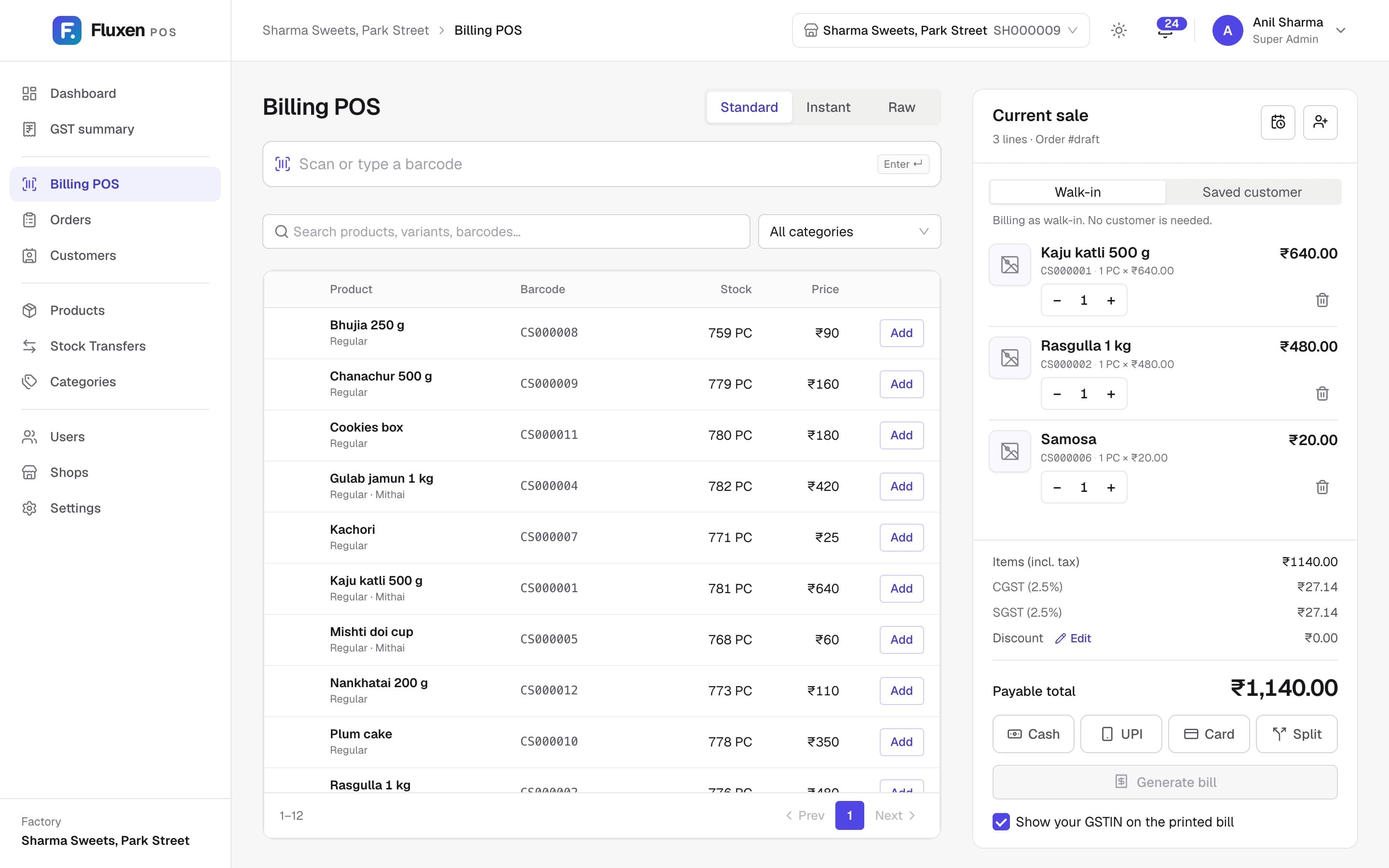
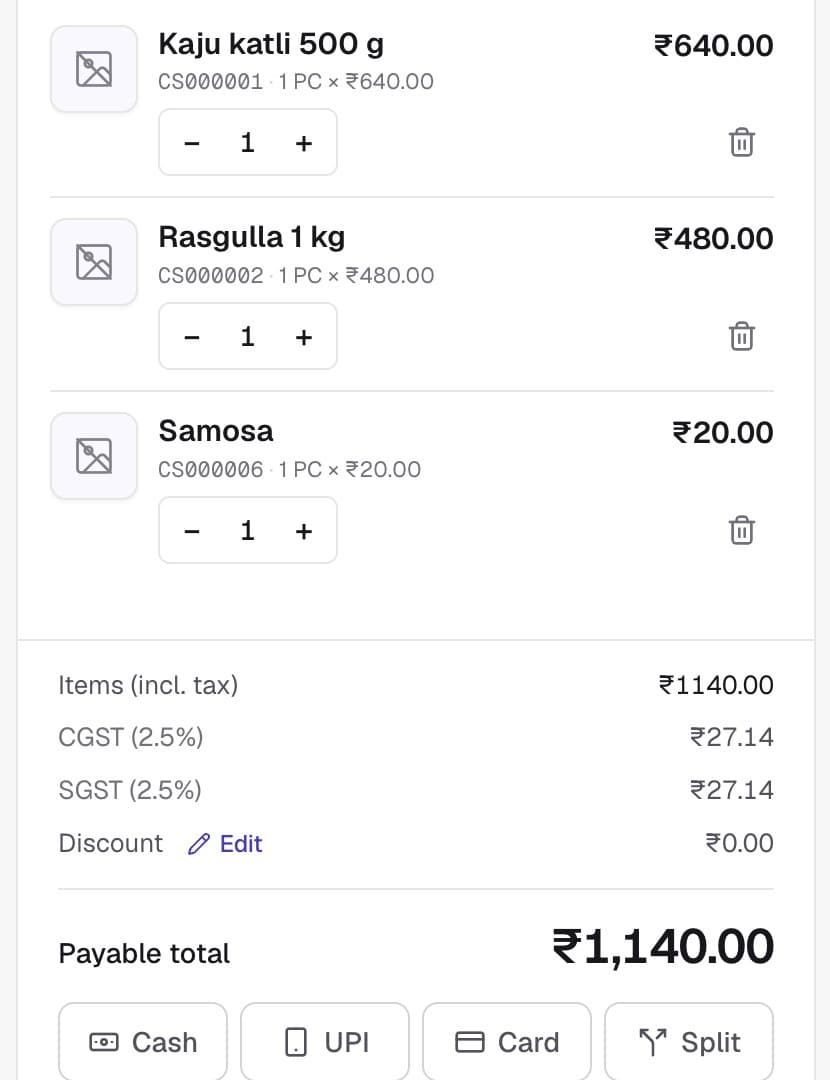
A billing screen that keeps up with the queue
Scan a barcode or search, take cash, UPI, card or a split, and print a GST invoice or a thermal receipt. Add a discount, attach a saved customer, and a sale in progress survives a page refresh.
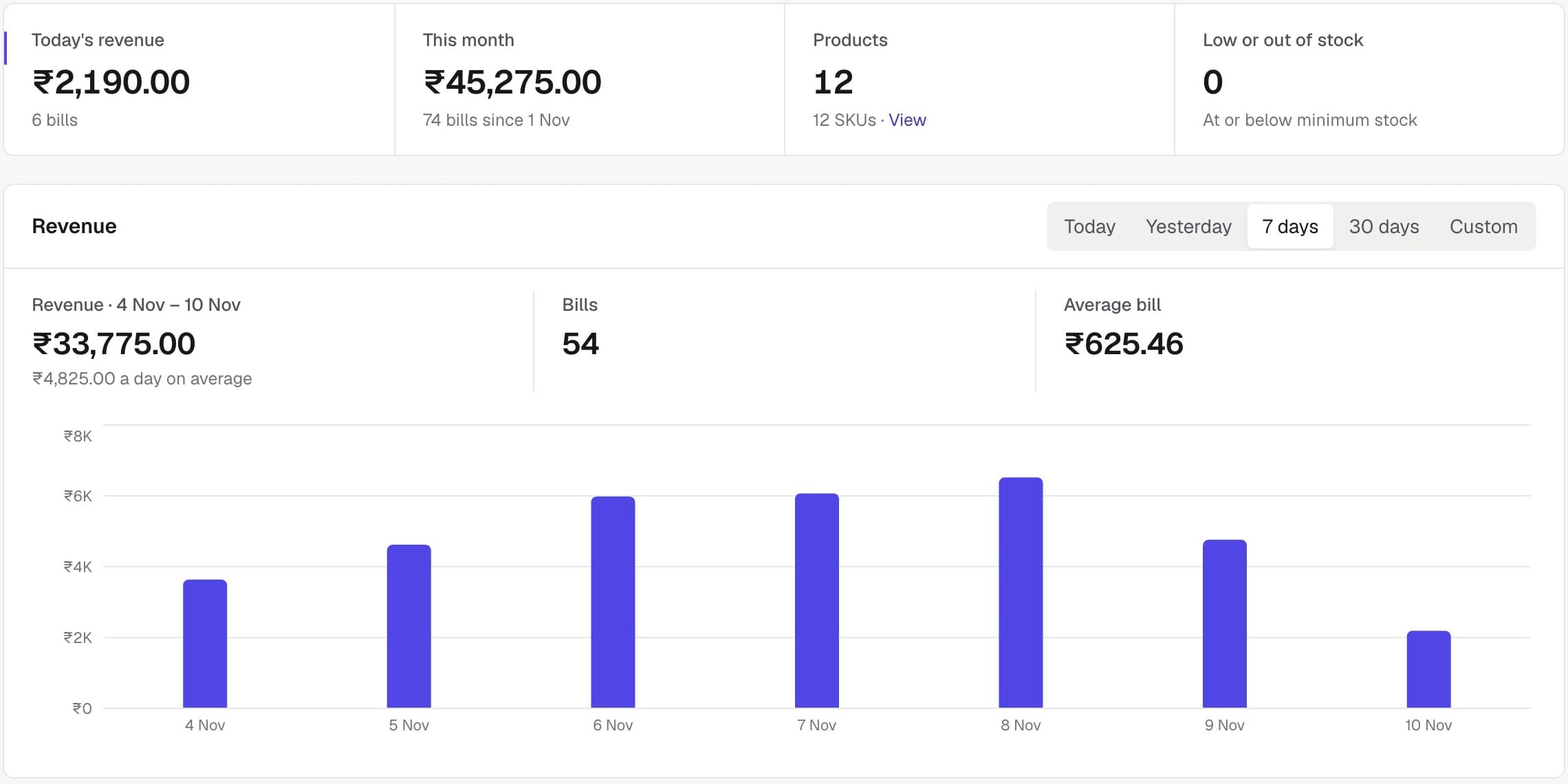
See how the shop did, every day
Revenue, bills, average bill and payment mix for any period, with a GST summary your accountant can use. Low stock shows up before the shelf is empty.
The rest of what a shop needs
- Variants by weight and pack
- 200 g, 1 kg or a box of twelve. Each variant has its own barcode, price, HSN code and stock count.
- Refills between kitchen and shops
- A shop asks, the factory approves and sends it, and both inventories update. Every movement is recorded.
- GST on every bill
- CGST and SGST are split, and your GSTIN, FSSAI number and UPI ID print on the invoice. The GST summary exports to Excel or PDF.
- Staff and roles
- Owner, admin, manager, cashier and staff each see only their own screens. Staff can ask for more access and you approve it.
- More than one shop
- Each shop keeps its own stock, staff and bills. Switch between them from the header.
- Your colours
- Pick a theme or set your own colours and logo. Each shop can look different.
Questions
Yes. Prices are in rupees, bills split CGST and SGST, products carry HSN codes, and your GSTIN, FSSAI number and UPI ID print where they should.
Yes. A business has one factory and any number of shops. Stock, staff and sales are tracked per shop, and you switch between them from the header.
The shop raises a refill request, the factory approves it and then fulfils it. Quantities move between the two inventories and the movement is recorded.
Only people in your business. Each business is kept separate, and staff can open only the shop and screens their role allows.
No. It runs in the browser. A barcode scanner that types like a keyboard and a thermal receipt printer both work if you already have them.